
A Pro mouse with a sweet price tag
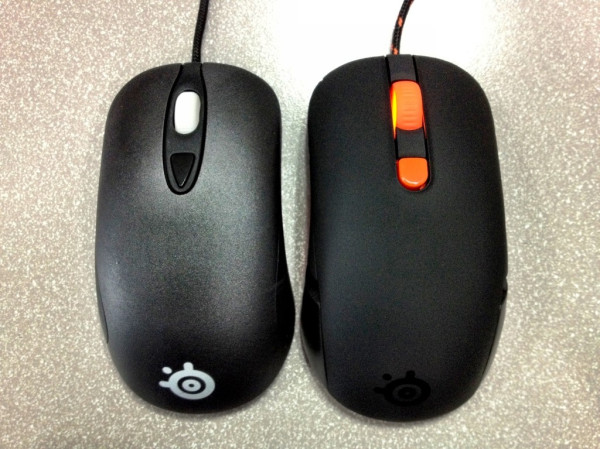
Steelseries Kana (and a little bit about the Kinzu Pro v 2) The humble mouse. In this day and age where researchers are looking at replacing human interaction with computers with everything from motion to brainwaves, the humble mouse is still the preferred input device for PC games. They come in many shapes and sizes, some have lasers (Dr Evil voice), some use optical sensors. Today I come here to discuss the Steelseries Kana. As many of you know, I have reviewed a fair few Steelseries rodents over the years. They all have one thing in common. Quality. The Kana is no different; however, it does highlight a worrying trend, which I will come to in a bit. But first…  The Kana is an pro gaming grade optical mouse. It is designed to sit somewhere in between the Steelseries Kinzu and the Sensei. In their own words “In size, features, and buttons the Kana is more than a Kinzu and not quite a Sensei.” Now, the size is true. It is exactly in the middle of the two other mice. In features, not so much. The Kana has five buttons plus a CPI (sensitivity) toggle switch. This is two more buttons than its sibling the Kinzu.
Recommending the Kana is easy
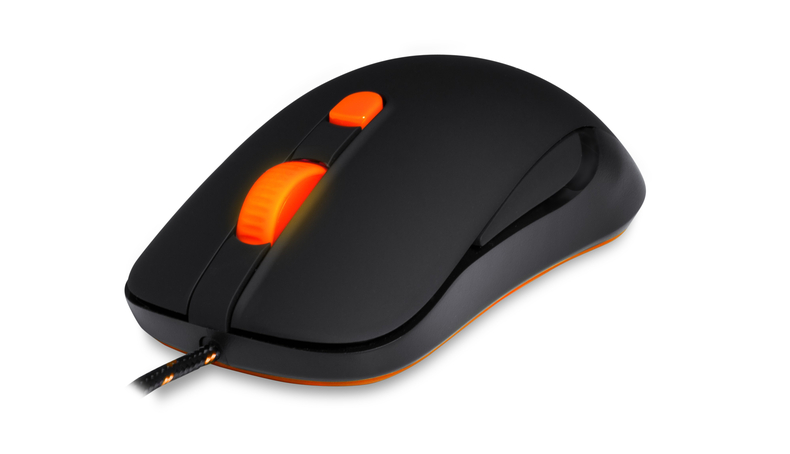
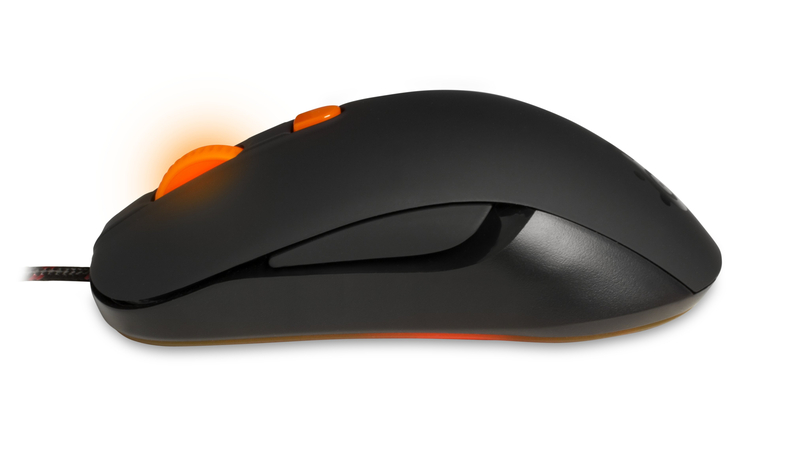
The version that I have for review is called the Black 1.1. It was “designed” by the community during a series of Facebook promotions. Mostly black, it has a rather nice orange contrast on the scroll wheel, the double braided cord, the CPI switch and on the base. The black coating is the non-slip coating we have all come to love. Personally, I really like the styling. It is simple, but stands out a little. If you like your rodents to be slightly brighter, there is also the White 1.1 available at the same price. The Kana is designed to be ambidextrous, so each side has a single button running along the middle of the mouse. I have had mice with this before and the all suffer from the same issue. Accidental clicking of the opposite mouse button to where your thumb is placed. The slightly recessed button suffers less from this, but I still found myself disabling it from the Steelseries Engine software. The Steelseries Engine is the software that Steelseries is now using to control all of their peripherals and it is really very neat. It can control everything from the two onboard CPI settings, to the functions of each mouse button. The interface is clean and simple, creating profiles is a synch as is recording and saving macros. One extra feature the Kana has over the Kinzu is the lit scrollwheel. Rather than just being there for show, you can adjust the brightness to help show you which CPI setting you are on. 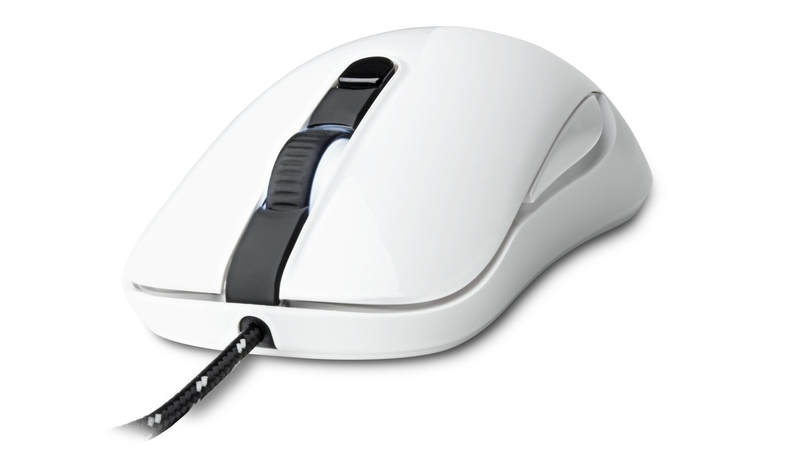 As the following table shows, when compared to the Kinzu Pro v2, there is not a great deal of difference. The Kana is a little longer, slightly more sensitive, has two more buttons and has a lit scrollwheel. Also, the price is not all that different. However, when you compare it to the Sensei, it is chalk and cheese. Saying that this is the middle brother is a bit daft in my mind. That said, I do prefer this to the Kinzu. It fits my hand much better and feels smoother to me. That may be the Teflon feet of course.
| � | Kinzu Pro v2 | Kana | Sensei |
|---|---|---|---|
| Weight | 77g | 72g | 102g |
| Height | 36mm | 37mm | 39mm |
| Width | 64mm | 64mm | 68mm |
| Length | 117mm | 124mm | 126mm |
| Cord | Double Braid | Double Braid | Double Braid |
| Buttons | 3 + CPI | 5 + CPI | 7 + CPI |
| MAX CPI | 3200 | 3200 | 5700 (11400 on Double) |
| MIN CPI | 400 | 400 | 1 |
| Lift Height | ~2mm | ~2mm | 1 – 5mm |
| Polling Rate | 1000 Hz | 1000 Hz | 1000 Hz |
| FPS | 3600 | 3600 | 12000 |
| IPS | 65 | 130 | 150 |
| Megpixels per Second | 3.7 | 3.7 | 10.8 |
| Acceleration | 30g | 30g | 30g |
| Sensor | Optical | Optical | Laser |
| Processor | 16bit | 16bit | 32bit Arm |
| Extras | Lit Scroll Wheel | On Board computer! | |
| Price | �25 | �35 | �60 |
I mentioned early on that the Kana had me a little worried. My concern is lack of innovation. Not in the internals. The Sensei shows off some amazing innovation. My concern is design. Other companies out there are trying to push the boundaries in design and comfort and even style. Whilst there is nothing wrong with the shape that Steelseries has chosen to stick with, there is nothing exciting about it. I would love to see them throw some almost wacky designs out there for us to try. There is more to mouse life than the old Microsoft shape from way back when! That said, Recommending the Kana is easy. It is a pro mouse at a good price. It is fast, never missing any tracking for me, it is accurate and it feels just right in my hand. However, if you are on a really tight budget and you don’t need the extra buttons (or size), the Kinzu Pro v2 should be right up your street. The Scores
Build |  9 9 |  Silver Y Award |
Value | 9 | |
Features |  8 8 | |
Overall | 8 |
The Bad: Lacks innovation

 Silver Y Award